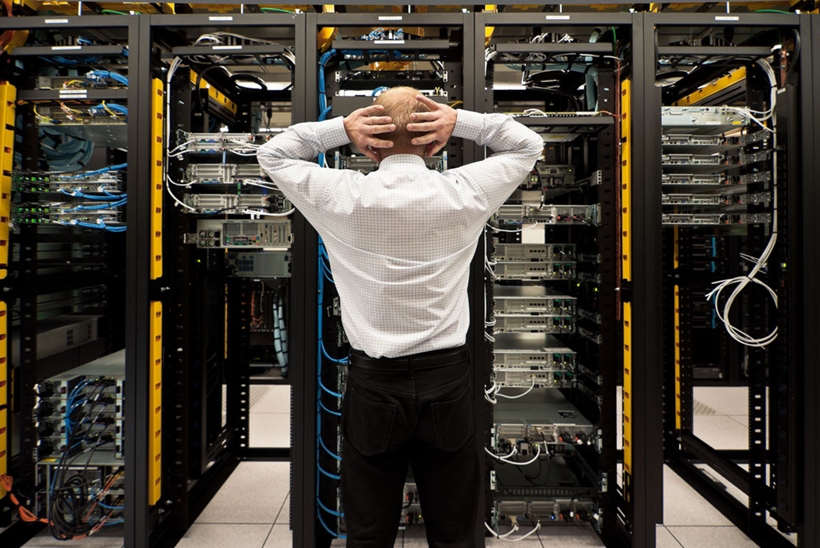
Moving servers back into the office can make sense when workloads are predictable, applications need local access, or a business wants direct control over its hardware. But an on-premises server is only as dependable as the room supporting it.
Before moving production workloads, IT teams need to check whether the office network closet can handle the physical equipment, cabling, power, cooling, and maintenance demands that come with running servers on-site.
Check whether the network closet is actually server-ready
A closet designed for a router, firewall, and a couple of switches may not be suitable for several rack-mounted servers. Start with the basics: available rack units, cabinet depth, floor space, door clearance, and access to both the front and rear of the equipment.
Inventory everything that will live in the rack before deciding the room is large enough. That includes servers, switches, patch panels, UPS units, storage appliances, firewalls, and any out-of-band management equipment. A rack can look spacious until power equipment and cable management consume several additional rack units.
Maintenance access deserves attention as well. If replacing a failed power supply requires pulling an entire rack away from a wall, the layout will create problems later. Leave enough clearance for technicians to trace cables, swap components, and remove equipment without disturbing neighboring systems.
Security matters, too. Production servers shouldn't share an unlocked supply closet that employees enter throughout the day. At minimum, the space should have controlled access and a clear policy governing who can work on the equipment.
Sort out structured cabling before the servers arrive
Cabling problems become much harder to fix after a rack is populated.
Before installation, map the existing network. Identify which patch panel ports serve workstations, wireless access points, cameras, phones, and other infrastructure. Old or undocumented cables should be traced and labeled rather than simply pushed aside to make room.
Think about the server connections separately from ordinary desktop networking. A server may need multiple Ethernet ports for production traffic, management, storage, or redundancy. Storage systems and high-throughput applications may also require faster connections than the rest of the office.
This is the stage where working with a structured cabling specialist such as Just Cabling can make sense, particularly when the existing closet has undocumented runs, limited patch-panel capacity, or needs additional copper or fiber installed.
Cable management isn't just cosmetic. Clearly labeled patch panels and organized horizontal and vertical pathways make troubleshooting much faster. When a server loses connectivity at 8 a.m. on a Monday, you don't want the first diagnostic step to be figuring out which unlabeled cable disappears into the ceiling.
Leave room for growth, but base it on realistic plans. A few spare switch ports and patch-panel positions are useful. Building out dozens of unused runs for hardware you don't expect to install isn't necessarily money well spent.
Treat power and cooling as infrastructure, not accessories
Servers create a different electrical and thermal load from ordinary office networking equipment.
List the power requirements for each device you plan to install, including servers, storage, networking hardware, and other rack equipment. Don't assume that an existing wall outlet or power strip is suitable simply because it can physically accept the plugs.
An electrician can determine whether the room needs dedicated circuits and whether the existing electrical system can support the expected load. That assessment becomes especially important when multiple servers, UPS systems, or equipment with redundant power supplies are involved.
A UPS should also be sized around the equipment it will actually support. Decide what needs to stay online briefly during an outage, what needs enough runtime for an orderly shutdown, and how shutdown will be triggered if power isn't restored.
Cooling can be just as easy to underestimate. An office HVAC system might keep employees comfortable during working hours while still allowing a closed network closet to become too warm. It may also shut down or change settings overnight, precisely when the servers continue running.
ASHRAE publishes thermal guidance for data-processing equipment, including recommended and allowable environmental conditions for data communications facilities. Use the equipment manufacturers' requirements and appropriate environmental guidance when assessing the room rather than judging conditions by whether the closet feels comfortable during a quick visit.
Temperature monitoring is worthwhile even in a small installation. Place sensors where the equipment takes in air rather than relying solely on the temperature elsewhere in the office.
Plan for failure before moving production systems
An on-premises server setup shouldn't depend on every component working perfectly.
Consider what happens if a switch fails, a circuit trips, the internet connection drops, or the office loses power. The answers determine where redundancy is valuable and where the business can tolerate downtime.
Backups deserve particular attention. Keeping the production server and its only backup appliance in the same rack means a single physical incident could affect both. Maintain recoverable copies separately according to the organization's recovery requirements and test restoration rather than assuming a successful backup job means the data can be recovered.
Remote access is another practical consideration. If an operating system stops responding, can an administrator still reach the server's management interface without driving to the office? Out-of-band management can be useful for systems that need to be supported outside normal office hours.
Internet capacity also changes when applications that once lived in a data center or cloud platform move into your building. Staff accessing an internal application over the LAN may see excellent performance, while remote users depend on the office's internet connection. Check upload capacity, firewall configuration, addressing requirements, and what happens during an ISP outage before making external users dependent on the new setup.
Test the room before moving critical workloads
Don't make the production migration the first real test of the network closet.
Run the installed hardware long enough to observe power use and temperatures under a representative workload. Verify that network links negotiate at the expected speeds and that every cable label matches the documentation.
Test failure scenarios where practical. Confirm that the UPS behaves as expected and that servers can shut down safely. Verify redundant network paths instead of assuming a second cable automatically provides redundancy.
If you're moving several workloads, migrate something noncritical first. That gives the team an opportunity to uncover airflow problems, cabling mistakes, firewall issues, or remote-access limitations while the existing environment is still available.
Conclusion
Bringing servers back on-prem isn't primarily a rack-and-stack exercise. The network closet becomes part of your production infrastructure, so its cabling, power, cooling, physical access, and failure planning deserve the same attention as the servers themselves.
Get those foundations right before the migration, and the hardware will be much easier to operate, troubleshoot, and expand once it is running inside the office.