cPanel Hosting Sale
Save 20% plus get 24/7 real expert support. Code HOSTSEARCH

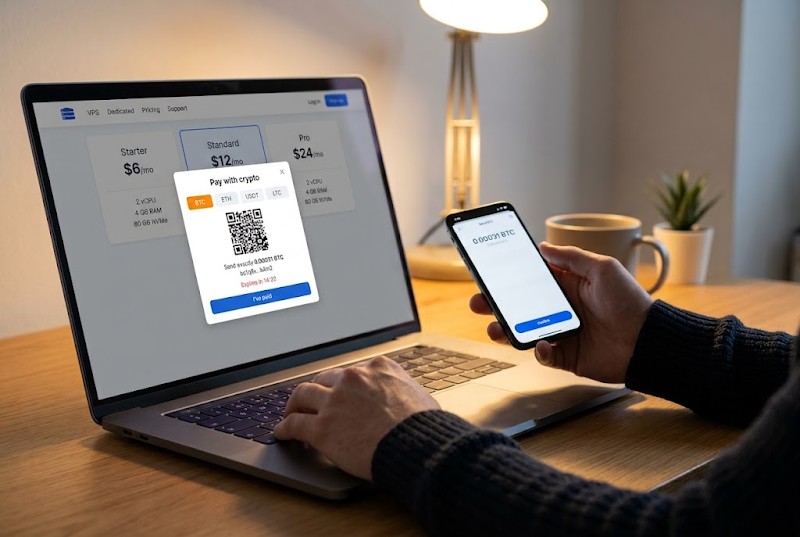
The first half is the same as any hosting order. Choose CPU cores, RAM, NVMe storage, a data center location and an OS image. Then pick crypto as the payment method.
Most providers route this through a payment gateway that generates an invoice. The invoice tells you where to send, how many coins to send, and how long that offer holds. Paste the long destination string into your wallet app or point your phone camera at the QR image, then approve the payment.
A tip for the first order. Skip exchange accounts when the timer is short. Exchanges often bundle withdrawals into batches, so your coins can arrive after the invoice has already died. To pay for VPS with crypto without drama, send from a wallet you control.
Once you broadcast the transaction, it waits in the mempool until a miner puts it into a block. Bitcoin blocks arrive roughly every 10 minutes. One confirmation takes about that long on average, and a host that wants 1–3 confirmations before activating your server needs 10–30 minutes.
The fee you attach decides your place in the queue. Set it too low during a busy period and the transfer can sit for hours. Most wallets show an estimate, so pick the medium setting.
Watch one more thing. Some wallets have a switch that takes the fee out of the sum you send. Leave it off. If the host gets even a little less than it billed, the order is marked as short and activation stalls.
Bitcoin is rarely the only choice at checkout. Gateways often list Litecoin, Ether and dollar-pegged tokens too. Those tokens kill the price swing problem: a ten-dollar plan stays a ten-dollar plan, whatever the market does between invoices.
Fees are flat per transaction, not per dollar. That hurts small orders most. A cheap plan paid on a congested network can cost noticeably more than the sticker price. Paying for several months in one go spreads that cost out. A few providers also support Lightning, which is fast and nearly free for small amounts, but you will find it less often.
Crypto is not a cloak. The blockchain is public, and the host sees which address paid. You still register with an email, and many providers run abuse checks or ask for ID on orders that look odd.
What you do get is distance from your bank. Paying for a virtual server with Bitcoin means no card details stored on the host's side, no payment blocked because your issuer dislikes the merchant's country, and no chargebacks. That last one cuts both ways. A payment is final, so a typo in the address is your problem.
Card billing renews itself. Crypto usually does not. Each period you get a new invoice by email and pay it by hand. Miss the deadline and the server can be suspended. Wait too long and the data can be wiped.
Set an alarm about seven days ahead of the renewal. When you pay for VPS with crypto every month, a longer prepaid term is worth a look. Many hosts discount it, and you handle fewer transactions.
Ask support, or read the docs, and get answers to these:
Then run a small test. Buy the smallest tier for a single month. You will learn how the invoice looks, how long confirmation takes and how fast support answers, before any real workload depends on it.



Save 20% plus get 24/7 real expert support. Code HOSTSEARCH
Next-Level Managed Hosting. Perfect for beginners, built for professionals!