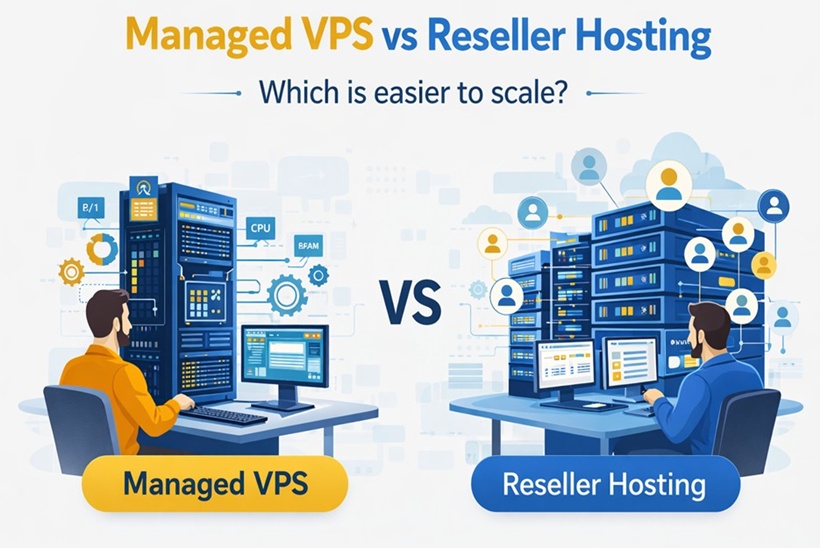
Managed VPS vs Reseller Hosting: Which Is Easier to Scale?

April 3, 2026 by Staff Writer
Managed VPS vs Reseller Hosting: Which Is Easier to Scale?
Every growing web agency, freelance developer, and IT entrepreneur eventually has to rethink their hosting setup. In the beginning, putting a few client websites onto a standard shared plan feels easy enough. But as your client roster grows, the limitations become obvious. Sites might slow down, security management gets complicated, and handling a dozen different hosting logins turns into an administrative headache.

When you decide to centralize your client hosting to build a reliable, recurring revenue stream, you face a key infrastructure choice: managed VPS vs reseller hosting.

Both options offer upgraded performance over entry-level shared plans and allow you to host multiple websites in one place. However, they are built on fundamentally different architectures designed for different business models. Choosing the right setup can save you hours of technical support each month and help you build a scalable, hands-off profit center.

In this deep dive, we will break down the operational differences in the reseller hosting vs VPS debate. We will explore which architecture is genuinely easier to scale and help you determine the right fit for your agency, your development workflow, and your bottom line.

What Is Managed VPS?

A Virtual Private Server VPS is a digital slice of a larger physical server. Using virtualization technology, the web host carves out an isolated, dedicated environment just for you. If you pay for 8GB of RAM and 4 CPU cores, those resources are fenced off. No other user on the physical hardware can drain your processing power.

The key word here is managed. A standard, unmanaged VPS requires you to act as the system administrator—installing the OS, configuring firewalls, and running command-line updates. A managed VPS bridges that gap. The hosting provider's engineering team handles the backend infrastructure, taking care of OS patches, core software updates, and network security.

What you get is a powerful, flexible environment. You retain root access to install custom software, tweak server-level caching, and host resource-heavy web applications.

Pros of Managed VPS:

* Guaranteed Resources: Your CPU and RAM allocations are strictly yours.

* Deep Customization: Full root access allows you to install custom software (like Node.js, specific PHP modules, or Redis).

* High Performance: Excellent for high-demand applications or large, complex websites.

Cons of Managed VPS:

* Shared File System: Without third-party control panels, all sites on the VPS share the same file system. If one site is compromised, it can potentially affect the others.

* Administrative Load: You are responsible for setting up your own billing and resource-partitioning systems for clients.

What Is Reseller Hosting?

Reseller hosting is essentially a bulk-buy arrangement. You purchase a large pool of server resources (like disk space and bandwidth) from a hosting provider, then divide those resources into smaller, individual hosting packages to sell to your clients.

Unlike a VPS, reseller hosting is highly structured and purpose-built for the business of selling hosting. It generally relies on the industry-standard combination of WHM (Web Host Manager) and cPanel.

Through the WHM dashboard, you act as the hosting provider. You can create custom hosting tiers (e.g., "Basic", "Pro", "Enterprise"), allocate specific storage limits, and instantly generate an isolated cPanel account for every new client. The major advantage of cPanel reseller hosting is compartmentalization: Client A has zero access to Client B’s files. If Client A's website runs into an issue, Client B remains completely unaffected.

Furthermore, this setup is designed as white-label hosting. Your clients don't see your upstream provider's branding. They see your logo on the dashboard, your custom name servers, and your agency's support details.

Pros of Reseller Hosting:

* Instant Compartmentalization: Every client gets their own secure, isolated account.

* Ready-to-Sell Setup: Built from the ground up for recurring revenue and easy client management.

* Server Maintenance is Handled: The provider manages the server hardware and backend security; you simply manage your clients.

Cons of Reseller Hosting:

* Resource Constraints: You operate within an optimized shared environment, meaning you cannot change deep server configurations.

* No Root Access: You cannot install custom server-level applications that require root privileges.

Key Differences Between Managed VPS and Reseller Hosting

To make the right choice, it helps to understand that the difference between these two environments goes beyond speed—it is about how you prefer to operate.

1. Server Control
A managed VPS gives you the keys to the server environment. If you need to change how the web server processes requests or want to utilize Docker containers, you have the freedom to do so. Reseller hosting keeps the server configuration locked down and standardized by the provider, giving you a polished dashboard (WHM) strictly for account management.

2. Account Isolation
If you host 20 client sites on a standard VPS without a specialized control panel, they share the same ecosystem. A rogue script spiking CPU usage on one site could slow down the others. In WHM hosting, you set hard resource limits on individual accounts. If one client experiences a massive traffic spike, only their site is affected, protecting the performance of your other clients.

3. The Client Experience
With a VPS, you generally act as the webmaster. If a client needs a new email address or a database backup, they have to ask you to do it. With reseller hosting, every client gets their own login. They can manage their own FTP accounts, emails, and SSL certificates, which naturally reduces your daily support workload.

Which Is Easier to Scale?

When businesses ask which platform is "easier to scale," they are usually thinking about two very different concepts: Resource Scaling and Operational Scaling.

1. Resource Scaling: The VPS Advantage
If we are strictly talking about computing power, a managed VPS is more straightforward to scale. VPS hosting is highly elastic. If your largest client launches a major marketing campaign and traffic surges, you can usually log into your provider's dashboard and upgrade your VPS from 4GB of RAM to 16GB. The server reboots, and the resources are ready.
With reseller hosting, while you can upgrade your overall package to get more total storage, individual accounts are still subject to the shared environment's limits. You cannot easily assign 16GB of dedicated RAM to a single account on a standard reseller plan.

2. Operational Scaling: The Reseller Advantage
When an agency talks about scaling, they typically mean: "How easily can I grow from 10 clients to 150 clients without overwhelming my team?"

In this context, reseller hosting is much more practical to scale. Scaling a hosting business requires automation, and reseller hosting natively integrates with billing software like WHMCS. With this setup, a client can select a package on your website, pay with a credit card, and the software will automatically generate their account and email them credentials.

Scaling 100 clients on a raw VPS often requires you to manually partition databases and track invoices. The operational overhead grows linearly with your client base. With reseller hosting, managing 100 clients takes relatively the same amount of administrative effort as managing 10.

Managed VPS vs Reseller Hosting for Agencies

For digital marketing agencies, SEO firms, and creative studios, hosting is generally a value-add service. Your core focus is designing websites or running campaigns, while hosting serves as a way to generate predictable monthly recurring revenue (MRR) and maintain client relationships.

Because of this, reseller hosting for agencies is often the superior choice.

Agencies rely on standardized workflows. When a new project starts, your team needs to spin up a staging environment and install WordPress quickly. WHM makes this a streamlined process. Furthermore, white-label hosting allows you to present yourself as a full-service technology provider, building brand trust when clients log into a portal featuring your logo.

For high-paying clients, agencies often look for premium infrastructure to back up their services. For example, using a provider like BISUP—which powers its reseller environments with AMD EPYC processors and NVMe storage—allows an agency to offer top-tier speeds under their own brand, all without needing to configure a complex server network. You get the operational simplicity of a reseller account paired with excellent performance.

Managed VPS vs Reseller Hosting for Developers

For software engineers, full-stack developers, and app creators, the priorities are quite different. A developer’s primary concern is usually the architecture of the environment rather than automated billing.

For these professionals, a managed VPS is typically the better choice.

If you are a developer building a custom Laravel application, a React frontend, or utilizing specific Python scripts, reseller hosting can feel restrictive. Reseller accounts limit you to standard web serving technologies and specific PHP versions. Without root access, you cannot globally install packages via npm or deploy Redis caching at the server level.

A managed VPS provides an excellent sandbox. You have the freedom to configure the stack exactly as your application needs. Additionally, VPS environments work perfectly with continuous integration/continuous deployment (CI/CD) pipelines, allowing you to set up automated Git deployments that push code straight from your repository to your server.

VPS for client hosting makes the most sense for developers building bespoke, resource-intensive web applications where the client is paying for the application itself, and the hosting is simply factored into a larger retainer.

Managed VPS vs Reseller Hosting for Developers

For software engineers, full-stack developers, and app creators, the priorities are quite different. A developer’s primary concern is usually the architecture of the environment rather than automated billing.

For these professionals, a managed VPS is typically the better choice.

If you are a developer building a custom Laravel application, a React frontend, or utilizing specific Python scripts, reseller hosting can feel restrictive. Reseller accounts limit you to standard web serving technologies and specific PHP versions. Without root access, you cannot globally install packages via npm or deploy Redis caching at the server level.

A managed VPS provides an excellent sandbox. You have the freedom to configure the stack exactly as your application needs. Additionally, VPS environments work perfectly with continuous integration/continuous deployment (CI/CD) pipelines, allowing you to set up automated Git deployments that push code straight from your repository to your server.

VPS for client hosting makes the most sense for developers building bespoke, resource-intensive web applications where the client is paying for the application itself, and the hosting is simply factored into a larger retainer.

Cost, Control, Support, and Automation Comparison

To clarify the managed VPS vs reseller hosting debate, let's look at how they compare across a few critical business metrics.

Comparison Table

Feature/metrics Managed VPS Reseller Hosting
Primary Use Case Custom apps,
high-traffic single sites.             
Volume client
hosting, web design agencies.
                                         
Server Control Complete (Root
access allowed).
Restricted (WHM/
cPanel limits).
Operational Scaling Manual, requires
more administrative time.
Highly automated
(via WHMCS or
similar).
Resource Scaling Highly elastic
(Upgrade CPU/RAM easily).
Limited by the
shared pool's
parameters.
Client Isolation Requires manual
configuration or software
Native and
comprehensive
(cPanel limits).
White-Labeling Requires custom setup. Built-in and
straightforward.
Technical Knowledge Moderate to High. Low to Moderate.
Cost Structure Flat rate for the
server container.
Flat rate for the bulk resource pool.

Cost Dynamics:
Initially, an entry-level VPS might look cheaper than a premium reseller account. However, you have to factor in the cost of your time. If you spend several hours a month manually updating client environments or diagnosing server issues, that VPS is costing your business in billable hours. Reseller hosting is priced to include the automation and compartmentalization software, which acts as a time-saver for your team.

Support Burden:
When you manage a VPS, you are the final line of defense. If a custom application crashes, your host's support team generally won't fix software they didn't install. With reseller hosting, the server environment is standardized. If the web server service crashes, you can open a ticket with your provider, and their team will resolve the issue at the server level.

When Managed VPS is the Better Choice

You should lean toward a managed VPS if:
* You host high-traffic e-commerce sites: Busy stores often require dedicated CPU cores to process simultaneous transactions smoothly.

* You are a developer building custom software: You need root access to run specific frameworks, containerized apps, or unique database configurations.

* You manage a few, very large clients: If you handle a handful of enterprise clients on high retainers, the manual overhead of a VPS is manageable, and the dedicated performance is a strong selling point.

* You require strict environmental control: Certain projects require dedicated server environments to meet specific software or compliance requirements that standard shared pools cannot accommodate.

When Reseller Hosting is the Better Choice

You should choose reseller hosting if:
* You are an agency or freelancer: Your goal is to host a large volume of standard client websites (like small business sites or portfolios) efficiently.

* You want streamlined, recurring revenue: You plan to integrate billing software to automate client invoicing, account creation, and suspensions.

* Security compartmentalization is a priority: You need to ensure that an outdated plugin on one client's site cannot breach the server and affect your other clients.

* You want to offer white-label services: You want your clients to log into a branded dashboard, reinforcing your agency's professional image.

Final Verdict

The answer to "Which is easier to scale?" depends entirely on what you are trying to build.

If your goal is to scale the power and complexity of a single, resource-heavy web application, a managed VPS is the ideal environment. It provides the elastic resources and root-level control necessary to handle massive traffic spikes and custom architectures.

However, if your goal is to scale a manageable, client-focused hosting business, then reseller hosting is the most practical tool. By combining strict account isolation, white-label branding, and automated billing integration, reseller hosting allows agencies and freelancers to grow their recurring revenue steadily without needing to hire a full-time server administrator.

Choose the infrastructure that aligns with your daily workflow, and scaling will become a much more natural process.

FAQ Section

1. Can I use a VPS for client hosting?
Yes, but it requires more administrative heavy lifting. You can install a control panel on top of a VPS to mimic a reseller setup. However, this means you are responsible for purchasing the software licenses and managing the underlying server health, adding overhead compared to a ready-to-go reseller package.

2. What is cPanel reseller hosting?
It is an industry-standard setup for selling web hosting. You use a master dashboard (WHM) to allocate bandwidth and storage. Your clients are then given access to cPanel, a user-friendly interface where they can manage their specific website files, databases, and emails independently.

3. Will my clients know I am using a reseller account?
Not if you configure it correctly. Premium reseller hosting includes white-labeling features. You can use custom name servers, add your logo to the client dashboard, and manage all billing through your own branded portal.

4. Is reseller hosting fast enough for modern websites?
Yes, as long as you choose a reputable provider. The speed of a reseller account depends on the underlying hardware. Providers utilizing modern storage solutions (like NVMe SSDs), fast processors, and optimized web servers can deliver load times that rival premium VPS setups.

5. How do I migrate from a VPS to reseller hosting (or vice versa)?
If both environments use cPanel, migration is generally straightforward. You can use native transfer tools to package and move sites automatically. If you are migrating from a custom VPS without a control panel into a reseller environment, the process usually requires manually exporting databases and moving files, which takes more time and planning.


Article Rating

Rate this article:

Article Rating

Rate:

  • 1
  • 2
  • 3
  • 4
  • 5

Top 3 Hosts From Our Search

1Packetra
2Serverly Server Hosting
3SatisfyHost